An Instagram chatbot is an application that replies on behalf of an Instagram business account in Instagram Direct, to comments under posts and reels, and to story replies. It connects via the official Meta API, so a professional account is required, but a programmer is not. For a shop, a bot is useful when it answers product questions on its own and steers the conversation towards an order in a CRM.
Below, using the example of a small children's clothing shop, we will look at which bot to choose, what to set up first, where the boundaries set by Meta lie, and how to test everything in a week using your own Direct.
Contents
- What an Instagram chatbot can see and what it can do
- Ten questions about height 104 that are flooding Direct
- Trigger word bot and a bot that reads the catalogue
- What to set up first for an automatic reply on Instagram
- Professional account, login and knowledge base for the onboarding evening
- The Direct Messenger bot records orders in the CRM directly from the chat
- The limits set by Meta and the limits you set
- A week of testing on my own Direct
- Frequently asked questions
Section: Instagram sales
What an Instagram chatbot can see and what it can do
The bot works with the same inputs as your manager, just without breaks. It receives direct messages, comments under posts, and replies to stories, and can answer each of them in a few seconds.
With comments, the rules are stricter. For Meta's documentation on private replies, To a comment on a post, reel, story or advert, a business can send one direct message to the author, and this must be done within 7 days. During a livestream, a private reply is only possible while the broadcast is ongoing. After that, the conversation only continues once the person has replied.
Another useful feature is ice breakers. These are prompts that a user sees when they first open a chat with your account: “What is the delivery like?”, “How do I choose the size?”. According to Meta's documentation, you can set a maximum of four such questions, and they are not shown on a computer, only in the mobile app.
All of this is only available to an Instagram professional account. A personal profile cannot be connected to the API.
The bot cannot see personal chats with friends or conversations from another account. It only works with the inbox of the business profile you connected it to, and only within the permissions you granted during sign-in.
Ten questions about height 104 that are flooding Direct
Let's imagine a children's clothing shop. It sells via Instagram and a website, with an assortment of about three hundred items in sizes ranging from 80 to 140 cm in height, and orders are managed in a CRM. Two female managers work until 19:00.
Most messages arrive in the evening. Mum is putting her child to bed, scrolling through her feed, sees a reel with an autumn playsuit and writes: “Is size 104 available? And in blue? How much is delivery to Zhytomyr?” In the morning, a reply is waiting for her, but she has already ordered the playsuit from where she was answered in the evening.
A dozen or two such questions pile up over the course of the evening, and they are all pretty much the same. Size, colour, availability, delivery, payment in instalments. Every morning, the female managers copy the exact same information from the catalogue into the chat.
The writing audience is large. According to the UAMASTER agency (January 2026), the monthly reach of Instagram in Ukraine among people aged 18 and over reached 13.2 million, whereas in mid-2024 it was 12.2 million. The figures are taken from advertising accounts, and the author honestly notes that there are no independent studies yet. For a shop, the conclusion is simple: Direct will not get any quieter.
Trigger word bot and a bot that reads the catalogue
An Instagram bot comes in two types, and the choice between them determines whether it can handle the question about a height of 104. From the outside they look similar: both reply in the same chat and both are signed with your account name.
A scenario bot responds to words and buttons. You set a rule: if the message contains “delivery”, send a text about Nova Poshta. When a female customer writes “and how many days will it take to reach Zhytomyr?”, the rule might not work, and the bot will give an irrelevant reply or stay silent. Such a bot is good at giving out a promo code for a “want” comment under a reel, but handles questions about a specific product less well.
The AI bot understands questions written in your own words and searches for the answer in your catalogue. It knows that the jumpsuit is available in blue in sizes 98 and 110, while only the beige one is left in 104, and responds accordingly. For a store with hundreds of items and a sizing chart, this is the difference between a bot that answers and a bot that sells.
Both types connect in the same way, via the official API. The difference lies in where the bot gets its response from: a script that you have designed, or a knowledge base that it reads itself.
Checking what type you are dealing with is simple. Write a question to the demo bot the way a tired mum would at ten at night: without punctuation, with a spelling mistake in the city name, with two questions in one message. A scripted Instagram chatbot usually answers only one of them or prompts you to choose a button. An AI bot answers both and asks for clarification if it didn't understand something.
What to set up first for an automatic reply on Instagram
Start with three places where female clients most frequently wait. Each of them can be set up in a few hours, and each addresses a different type of loss.
Greetings and starting questions
The first thing a mum sees when she opens the chat must answer her question before she has even typed it. Set up four starting questions from the ones that most frequently land in direct messages. For children's clothing, this is almost always the size guide and delivery; your messaging from the past month will suggest the other two. Use the customers' exact phrasing, as it is shorter and clearer than marketing copy.
Comments under reels and posts
Under a popular reel, comments such as “price?” and “do you have size 116?” start appearing. The manager replies to them an hour later, and sometimes even a day later. An Instagram automated reply in the form of a private message redirects the user to direct messages, where a bot then provides information about the specific item. Remember the limit: one message per comment. If it only says “drop us a message in direct”, a second attempt won't appear, so write the price and available sizes straight away.
When to call the manager
Set the rules for transfer to a human in advance. A complaint, a return, a request for a discount greater than usual, a question to which there is no answer in the knowledge base – the bot hands all of this over to the manager along with the entire conversation history. Then she doesn't ask again what size and colour the female customer chose, and continues from the point where the bot stopped.
If your direct messages in the evening look the same as in our shop, the easiest way is to see how the bot answers your female customers' questions. Demo dialogues on the service website always look smooth.
Professional account, login and knowledge base for the onboarding evening
No need to write code for the finished service. The procedure for the shop is as follows:
- Switch your profile to a professional account (business), if you haven't already, in your Instagram settings.
- In the service cabinet, select the Instagram channel and log in to the account by granting access to messages and comments.
- Download the catalogue: website link or PDF or Excel table with size chart and prices.
- Describe the delivery and exchange terms in the words you use to explain them to female customers.
- Write ten questions to the bot from a personal profile, copied from your direct messages over the past week, and check the answers.
Usually, the third step takes the longest. The bot will read a catalogue with a confusing size chart just as confusingly. Spend an hour making sure the table has the height and remaining stock for each model and colour. Then the Instagram chatbot will reply about availability just as accurately as the inventory records.
The Direct Messenger bot records orders in the CRM directly from the chat
Replying to Mum is half the job. The other half is making sure the order appears in the CRM with contact details, the post office branch and the size, without manual re-entry. It's precisely during manual transfer that typos in phone numbers and lost orders happen.
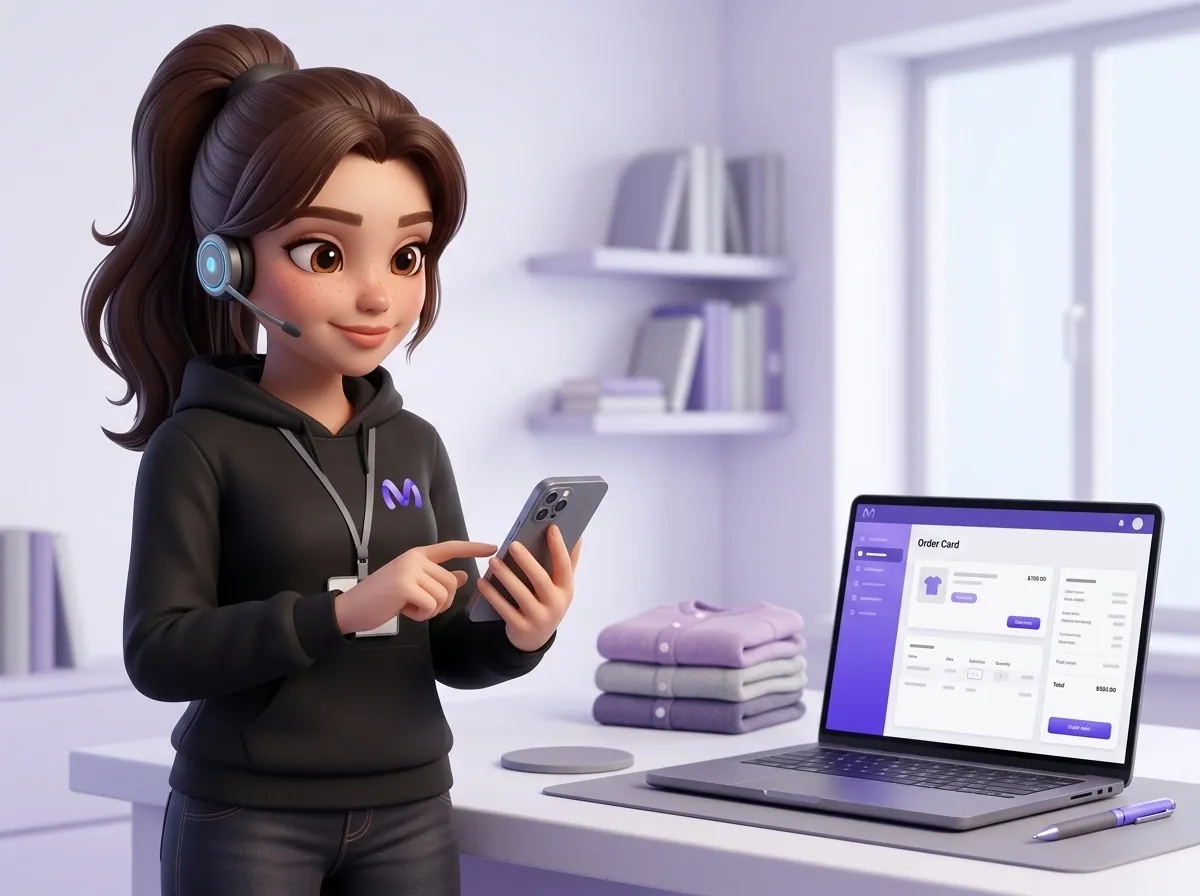
According to the service description on its website, the AI sales manager Marichka AI replies in direct messages within 10–30 seconds around the clock, takes the product range from website pages or PDF or Excel files, and automatically updates prices and stock levels. When a female customer agrees, it creates an order in the CRM. It responds exclusively from the knowledge base, so it will not promise a jumpsuit that is out of stock.
For our shop, the morning after such an evening looks different. The manager opens the CRM, sees night-time orders with the fields already filled in and a few chats handed over to her with a note on exactly what needs to be resolved. The first hour of work goes on these chats. Twenty identical questions about height have already been closed.
The limits set by Meta and the limits you set
The main limitation of the platform concerns time. According to Meta's documentation, you can reply automatically within 24 hours of a female client's last message, after which a human writes instead. How to use this window to bring back those who went silent is discussed in the article about, how to write a reminder within a day.
The second restriction concerns initiative. The bot replies to those who have written or commented, and does not message people first. Mass direct mailouts to all followers, which some services promise, do not align with these rules, and it is better to check such a promise before the account receives a restriction.
Your own boundaries are no less essential. Decide which topics the bot does not discuss at all (for example, medical advice regarding fabric allergies) and at what discount limit it stops. Write this into the knowledge base in a single paragraph, and the bot will stick to these rules every night.
Think separately about the tone. Mums in a children's shop's direct messages use an informal tone and emojis, and a reply in bureaucratic language sounds cold. Give the bot two or three examples of your managers“ replies that were best received by clients, and ask it to write in the same manner. How to address people, the length of the message, whether to put a smiley at the end—this is also part of the knowledge base.
A week of testing on my own Direct
An Instagram chatbot is best tested during the hours when Direct is currently quiet. Turn it on from 19:00 to 09:00 and at weekends, and leave the female managers in charge during the day. After a week, compare:
- how many evening dialogues ended with an order in the CRM;
- what questions the bot escalated to a human and why;
- were there any answers the manager is ashamed of;
- how much time the female managers spent in the morning on the night-time direct messages.
Detailed step-by-step seven-day test plan As for what to check daily, that's a separate matter. For a start, one thing will do: this evening, make a note of the last twenty questions about sizing and delivery from Direct, and tomorrow put them to the bot you've set up for the trial period. If it answers most of them the way your manager would, night-time messages will no longer have to wait until morning as early as tomorrow evening.
Ready to connect Marichka to your channel?
Marichka AI will help you automate communication, reply to clients 24/7 and increase sales.
Frequently asked questions
Can you make an Instagram chatbot for free?
Simple quick replies are in the Instagram app itself, they're free, but the manager still clicks them manually. A bot that replies on its own and knows your catalogue works via a third-party service for a subscription fee. Most such services offer a trial period, so you can test the bot in your own direct messages before paying.
Won't the account get blocked for a chatbot in Direct?
A bot connected via the official Meta API operates according to platform rules, and the mere fact of automated replies is not a violation. Problems begin when the bot messages people who haven't messaged it, or sends out advertising outside the permitted window. Reply to those who have reached out and stick to the 24-hour window.
Does the bot reply to comments on posts and reels?
Right. According to Meta's documentation, you can send one private direct message to the author of a comment within 7 days, and for a live stream, only while it is ongoing. The bot can continue the conversation once the person replies to this message.
Can one bot work in Instagram and Telegram at the same time?
It can, if the service supports multiple channels. Marichka AI responds on Instagram, Telegram, Facebook, Viber, WhatsApp and via the website widget from a single knowledge base, so prices and availability are the same everywhere.
How does the bot behave at night when the managers are away?
It responds in the same way as during the day: about size, availability and delivery, and places the order. Questions that are not answered in the knowledge base are left for a human with the entire conversation history, and in the morning the manager sees exactly what needs to be followed up on.
Will a bot replace a sales manager on Instagram?
He takes care of repetitive questions and the night shift. Returns, complaints, non-standard orders and discount decisions are left to the human. In a small shop, this usually frees up time for the manager to handle difficult conversations and work with regular female customers.