A Telegram chatbot for a shop is a separate Telegram account that answers customers instead of a manager: it talks about products, confirms details, collects delivery data and transfers completed orders to a CRM. It works day and night, leaving people to handle only those conversations where a decision is required.
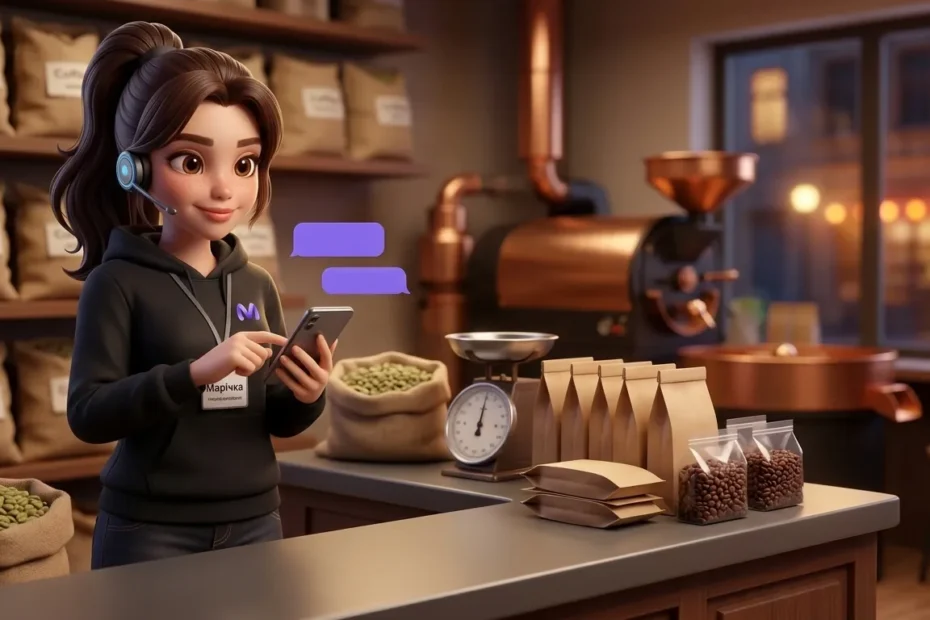
Imagine a small specialty coffee bean shop. The owner runs a Telegram channel where new lots appear every week, and after every post, a dozen questions flood her direct messages: is there any Ethiopia left, what grind is suitable for acezve, how much does 250 grams cost. Half of them arrive after ten at night. Next, using this shop as an example, we will analyse how a buyer gets into a bot, which sales the bot closes, and where it is restricted by Telegram's own rules.
Contents
- How a Telegram chatbot works for a shop
- Where the buyer comes from into the bot
- The first scenario unfolds in the comments section of a post about a new party
- Order at one in the morning when the manager is asleep
- Who is the bot authorised to contact for the purpose of resale?
- Payments and shopfront inside Telegram
- Button-based builder or AI sales manager
- What to prepare for a launch in one evening
- Frequently asked questions
Section: Messaging sales
How a Telegram chatbot works for a shop
A bot on Telegram looks like a regular contact, but it has a few distinct features. For Telegram description for developers, the bot doesn't have an “online” status, instead there is a bot tag in the chat, and the name almost always ends in “bot”. The main rule for sales from there as well is that the bot cannot start a conversation itself. The buyer has to write to it or click Start.
A bot can be created in a few minutes via the BotFather service account. You get an empty shell with a name and avatar. It will only start selling when connected to something responsive: a set of buttons in a builder or an AI manager that knows your catalogue.
Therefore, for a shop owner, the question “what is a Telegram chatbot” comes down to something else: what exactly the bot knows about the products and what it can do with an order. Whether the buyer comes back a second time depends on this.
Where the buyer comes from into the bot
Since the bot doesn't message first, all sales start from an entry point. For a coffee shop, there are usually four:
- “Ask or order” button under every channel post;
- t.me link in the Instagram bio and on the product page of the website;
- QR code on a bag of coffee with the caption “Next order in one click”;
- pinned message in the channel with a short instruction.
There is also a second way: to connect the bot to a normal shop account via Telegram Business, then the buyer messages a person, and the program replies. This option requires a Premium subscription. We previously looked at, how bot connection via Telegram Business works and which chats he should be given access to.
The first scenario unfolds in the comments section of a post about a new party
On Wednesday at 19:00 a post about a Colombian lot with caramel notes goes live on the channel. Half an hour later, a buyer clicks the button under the post and writes: “Any left? For my moka pot, 500 g”.
The button-based bot here shows a “Catalogue / Delivery / Operator” menu. The customer scrolls through twenty items looking for Colombia and closes the chat on the third screen.
The AI manager answers the exact question. He sees in the catalogue that the item is in stock, that for a moka pot you recommend a medium-fine grind, and states the price for the 500-gram pack that is currently on the website. At the end of the reply, he asks whether to place the order, and whether grinding is required or if the customer grinds it themselves.
The knowledge base decides here. If there are no grind recommendations in the lot description, the bot shouldn't make them up. Marichka AI, for example, only responds based on what you have uploaded, so it's better to add what each roast is suitable for to the product cards once.
Order at one in the morning when the manager is asleep
Another buyer writes at 00:40: “I'll take two packs of Brazil, delivery to a branch in Zhytomyr”. Without a bot, this message would wait until morning, and by the morning the person might have already bought coffee in the supermarket near their home.
A Telegram AI chatbot takes such an order through to completion. It asks for the name, phone number and branch number again, confirms the amount, creates the order in the CRM and writes when the parcel will be dispatched. In the morning, the manager sees a ready-made card with the entire chat history, and there is no need to clarify anything by phone.
Sometimes a question falls outside the catalogue. A buyer might ask to combine two lots in one parcel or enquire about a wholesale price for a coffee shop. Here, the bot does not improvise: it hands the chat over to a human along with the context, so the manager doesn't have to ask everything all over again. According to the service description, Marichka AI responds within 10–30 seconds and passes such conversations on to an operator, meaning a night-time question gets answered immediately, while a complex one reaches a person with the conversation history.
Who is the bot authorised to contact for the purpose of resale?
A customer who likes the roast comes back when the bag runs out. The bot can remind them about a new batch, but only those who have already messaged it themselves. Anyone who has never pressed Start will not receive a message from the bot.
Telegram also limits frequency. According to the Telegram Bot FAQ, a bot must not send more than one message per second to a single chat and up to 20 per minute to a group. Mass mailing without paid mode goes at a speed of about 30 messages per second. For a shop with three thousand buyers, this is less than two minutes. Something else limits it: customers simply block a Telegram chatbot that reminds them of itself every day.
A purchase-linked message works well. Three weeks after the order, the bot writes: “A new batch of Ethiopia has just been roasted, shall we place the order like last time?” The customer doesn't need to search for anything. They can unsubscribe from reminders with a single button. If you also sell on Viber, you have to pay separately for messages that the bot sends on its own initiative; more details in the article about bot rules for Viber.
Payments and shopfront inside Telegram
The bot can take payment directly in the chat, without the buyer having to go to the website. For most shops, the first option below is enough, and the second is needed when the assortment is large.
Payment for physical goods via Payments API
For Telegram's payment documentation, the bot can accept payment via over 20 payment providers from over 200 countries, and the hryvnia is on the list of supported currencies. Telegram does not charge commission for the Payments API; it is charged by the provider according to their tariffs. Separate rules apply to digital goods with payment in Telegram Stars, but coffee does not belong to them.
Mini App as a shop in Telegram
For those looking to create a shop in Telegram with a full catalogue and shopping basket, a Mini App is suitable. Telegram describes it as a JavaScript web application inside a bot, upon which anything can be built, from an online shop to a game. It will have to be developed or ordered separately. For a shop with twenty lots of coffee, this is unnecessary: chatting with the bot and a payment link achieve the exact same objective.
Button-based builder or AI sales manager
Both options live in the same bot, the difference is what happens after the buyer's message.
| Situation | Button builder | AI manager |
|---|---|---|
| “Is there a Columbia near the geyser?” | shows the catalogue menu | responds regarding availability and grind |
| The price on the website has changed | it needs to be edited manually | pulls the new price automatically |
| Unconventional question | “Operator” button” | forwards the dialogue to a person with context |
| Settings | draw a button layout | download website or file with catalogue |
Buttons are enough when customers ask the same things: opening hours, address, parcel status. As soon as the conversation is about choosing a product, the button-based scenario breaks down at the very first unpredicted question. An AI-based Telegram chatbot takes the catalogue from website pages or PDF or Excel files and updates prices and stock levels itself, so a new item appears in the replies at the same time as the post in the channel.
What to prepare for a launch in one evening
Before connecting the bot to the channel, gather five things:
- Current catalogue: website pages or a spreadsheet showing the price per weight and availability for each item.
- Delivery and payment FAQs: carriers, timescales, cost, returns policy.
- Prompts currently living in the owner's head: what grind size for which coffee maker, what to advise a beginner.
- Rules for escalation to a human agent: wholesale, complaints, non-standard orders.
- Entry points: button under posts, link in Instagram, QR code on packaging.
A Telegram chatbot sells precisely as well as it knows your product range and your buyers. You can build the wrapper in five minutes, but an evening spent preparing the knowledge base will determine whether a late-night order ends in payment. The simplest next step: connect an AI manager to your bot for a 7-day free trial and calculate how many evening and night conversations it successfully drives to a sale over the week.
Ready to connect Marichka to your channel?
Marichka AI will help you automate communication, reply to clients 24/7 and increase sales.
Frequently asked questions
What is a Telegram chatbot?
This is a separate Telegram account with a bot tag, operated by a program. It responds to messages, displays buttons, and takes orders and payments. For a shop, the bot acts as a front-line salesperson: answering standard questions and passing on anything that requires a human decision.
Can a Telegram bot message a buyer first?
No. According to Telegram rules, a bot cannot initiate a conversation: the buyer must write to it or press Start. After that, the bot can send messages, but with frequency limits, so broadcasts should be done rarely and on business.
How much does a Telegram chatbot cost?
The Telegram bot itself is free; you have to pay for the service that responds within it. Button builders and AI managers have monthly pricing plans that depend on the number of messages. For example, the LITE plan for Marichka AI costs €49 per month for 1,000 messages, with a 7-day free trial.
Does one need a programmer to run a shop bot?
For a typical shop, no. A bot is created in BotFather in a couple of minutes, and an AI manager is connected to it in the service dashboard and takes product knowledge from the website or a file with a catalogue. A developer will be needed if you require a custom storefront as a Mini App or non-standard integration with an accounting system.
Does Telegram charge a commission on payments in the bot?
According to Telegram documentation, the platform does not charge any commission for using the Payments API. The commission is charged by the payment provider you connect, according to their own tariffs.
Can one bot be used to reply in both Telegram and Instagram?
A Telegram bot lives only in Telegram. An AI manager service can work across multiple channels simultaneously with a single knowledge base, so prices and delivery responses are identical in Telegram, Instagram Direct, and the website widget.